
OA.ColorCreator1.0.4 - Google Play
You'll be able to see results in few seconds.
Publisher Description
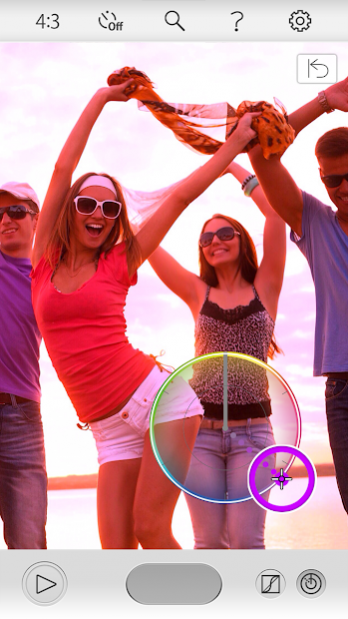
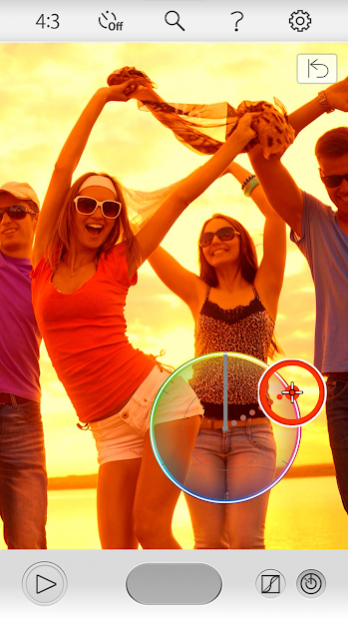
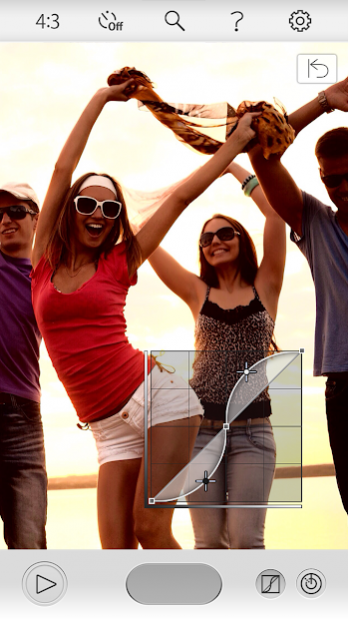
OA.ColorCreator is a photo app for use with the Olympus Air open platform camera. With intuitive controls, you can adjust the color and saturation to capture an impressive photo of the scene before you, and you can also freely control the brightness.
Features
1. Bring out emotion by adjusting the color
You can operate the Color Ring that appears on the screen to intuitively adjust the hues (30 levels) and saturation (8 levels) of the color you want to enhance.
2. Highlight & Shadow Control
Highlights and shadows can be adjusted in ±7 steps by using the tone curve that appears on the screen. As you make your adjustments, you can view the effects on the screen.
Basic functions
1. Multi aspect ratio
You can select an aspect ratio to fit your subject and theme from 4:3, 16:9, 3:2, and 1:1. Create impressive photos by combining aspect ratios and Art Filters.
2. Electronic and digital zooming
When an electronic zoom lens is attached, zooming can be operated from your smartphone. Because you can operate the camera remotely, this function is useful in composing shots for group photos. The camera is also equipped with a digital zoom function for telephoto shooting up to 3x with minimal image degradation.
3. Sharing
With a sharing button within the app, you can easily share favorite photos with friends and family via social networking services or e-mail.
4. Self-timer
When using the self-timer, a countdown to shutter release appears on the smartphone so you know exactly when the photo will be taken.
5. Adding geotags
By transferring geotags acquired by your smartphone to the Olympus Air, you can add the geotags to photos saved on the camera's SD card.
About OA.ColorCreator
The company that develops OA.ColorCreator is Olympus Corporation. The latest version released by its developer is 1.0.4.
To install OA.ColorCreator on your Android device, just click the green Continue To App button above to start the installation process. The app is listed on our website since 2019-12-25 and was downloaded 0 times. We have already checked if the download link is safe, however for your own protection we recommend that you scan the downloaded app with your antivirus. Your antivirus may detect the OA.ColorCreator as malware as malware if the download link to jp.olympusimaging.oacolorcreator is broken.
How to install OA.ColorCreator on your Android device:
- Click on the Continue To App button on our website. This will redirect you to Google Play.
- Once the OA.ColorCreator is shown in the Google Play listing of your Android device, you can start its download and installation. Tap on the Install button located below the search bar and to the right of the app icon.
- A pop-up window with the permissions required by OA.ColorCreator will be shown. Click on Accept to continue the process.
- OA.ColorCreator will be downloaded onto your device, displaying a progress. Once the download completes, the installation will start and you'll get a notification after the installation is finished.
Program Details
System requirements
Download information
Pricing
Version History
version 1.0.4
posted on 2019-12-25
Support for Android 10.
version 1.0.3
posted on 2018-03-07
Support for Android 8.0.
version 1.0.2
posted on 2016-09-12
Support for Android 7.0
Disclaimer
Official Google Play Link
We do not host OA.ColorCreator on our servers. We did not scan it for viruses, adware, spyware or other type of malware. This app is hosted by Google and passed their terms and conditions to be listed there. We recommend caution when installing it.
The Google Play link for OA.ColorCreator is provided to you by apps112.com without any warranties, representations or guarantees of any kind, so access it at your own risk.
If you have questions regarding this particular app contact the publisher directly. For questions about the functionalities of apps112.com contact us.
